Open and translate SDL Trados files online, without Studio
Received an .sdlppx package or an .sdlxliff file but have no Trados Studio at hand? Open it in your browser, translate it yourself or with AI using the translation memory and termbase from the package, and download an .sdlrpx return package that Studio imports normally.
- Packages and files: .sdlppx, .sdlrpx and .sdlxliff open directly.
- TM and termbase: the ones inside the package are applied automatically.
- Studio-safe: tags, locked segments and confirmation status are kept.
$0.005 per word, no subscription. See the exact price before you pay; editing by hand is free.
The editor: source and target side by side
Segments, statuses and keyboard shortcuts work as in a desktop CAT tool. Draft segments from AI are marked so you can review them.
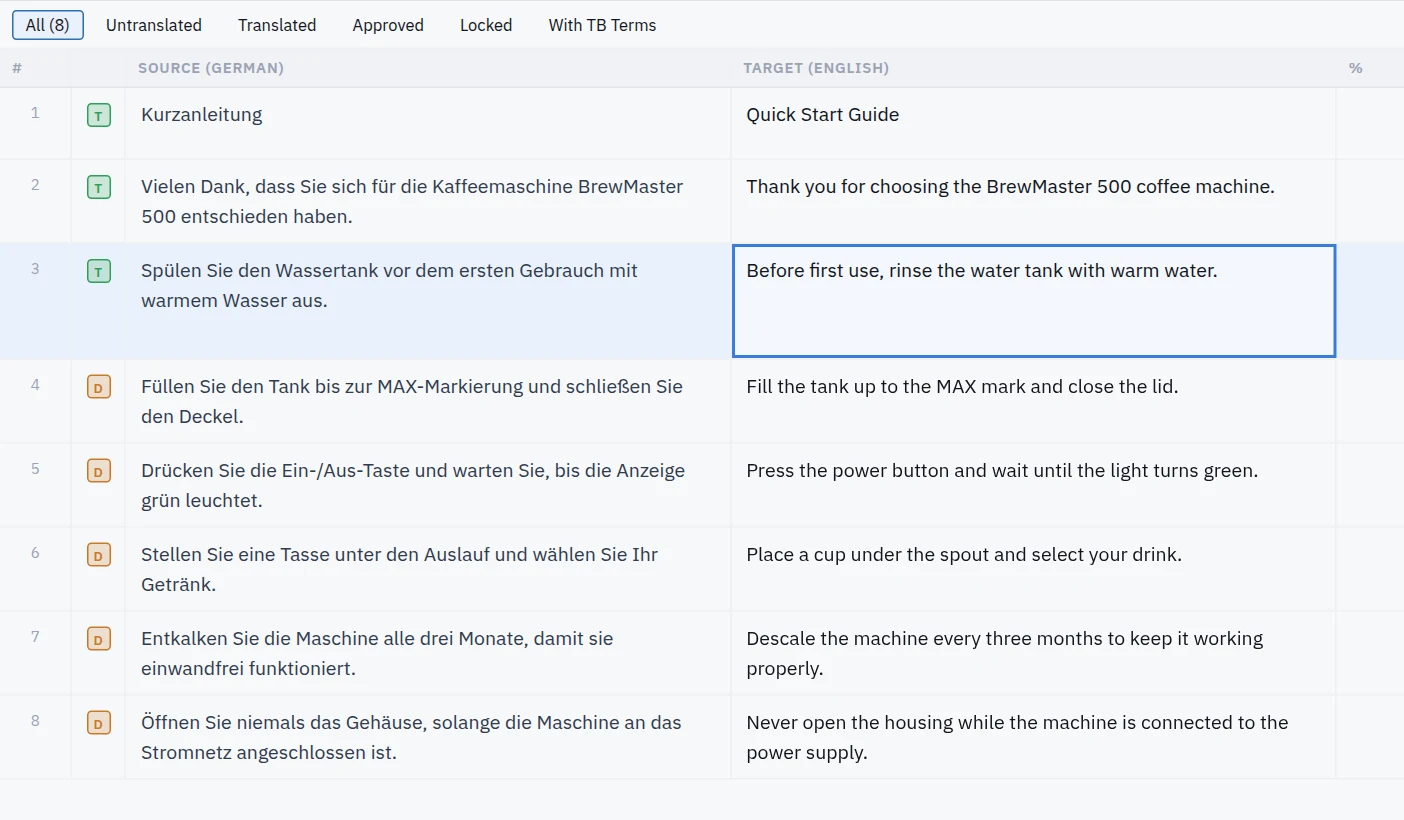
The online editor with a translated package open.
How it works
- 1
Upload the package
Drop the .sdlppx, .sdlrpx or .sdlxliff file. Translation memory and termbase are read from the package.
- 2
Translate and confirm
Type the translation yourself (free) or let AI translate empty segments ($0.005 per word), then confirm segment by segment.
- 3
Return the package
Download the .sdlrpx return package, or the updated .sdlxliff files, and send them to your client.
What Studio gets back
- Every tag in the right place, so formatting survives
- Locked and 100% match segments untouched
- Confirmation status per segment
- A return package that opens normally in Trados Studio
- Translation memory matches applied
Good to know
- This is an editor, not a project management system: create and manage projects in Studio as before.
- Run the free QA Checker on the return package before you deliver.
- Projects stay in your dashboard for 48 hours; download in time.
Frequently asked questions
Do I need a Trados Studio licence?
No. Everything runs in the browser. You only need the package your client sent.
Will the agency notice I did not use Studio?
They receive a normal .sdlrpx return package. Tags and segment status are kept, so it imports like any other.
Is translating by hand free?
Yes. Typing and confirming segments costs nothing. Only AI translation is charged, at $0.005 per word.
Are the TM and termbase in the package used?
Yes. Translation memory matches are applied and termbase terms are shown and used for AI translation.
Does it work on a Mac?
Yes. It runs in any modern browser, on Mac, Windows, Linux or a Chromebook.
More ways to translate
Open your Trados package now
Upload the file, check the price and the layout preview, then decide. No subscription, no installation.
Upload your file